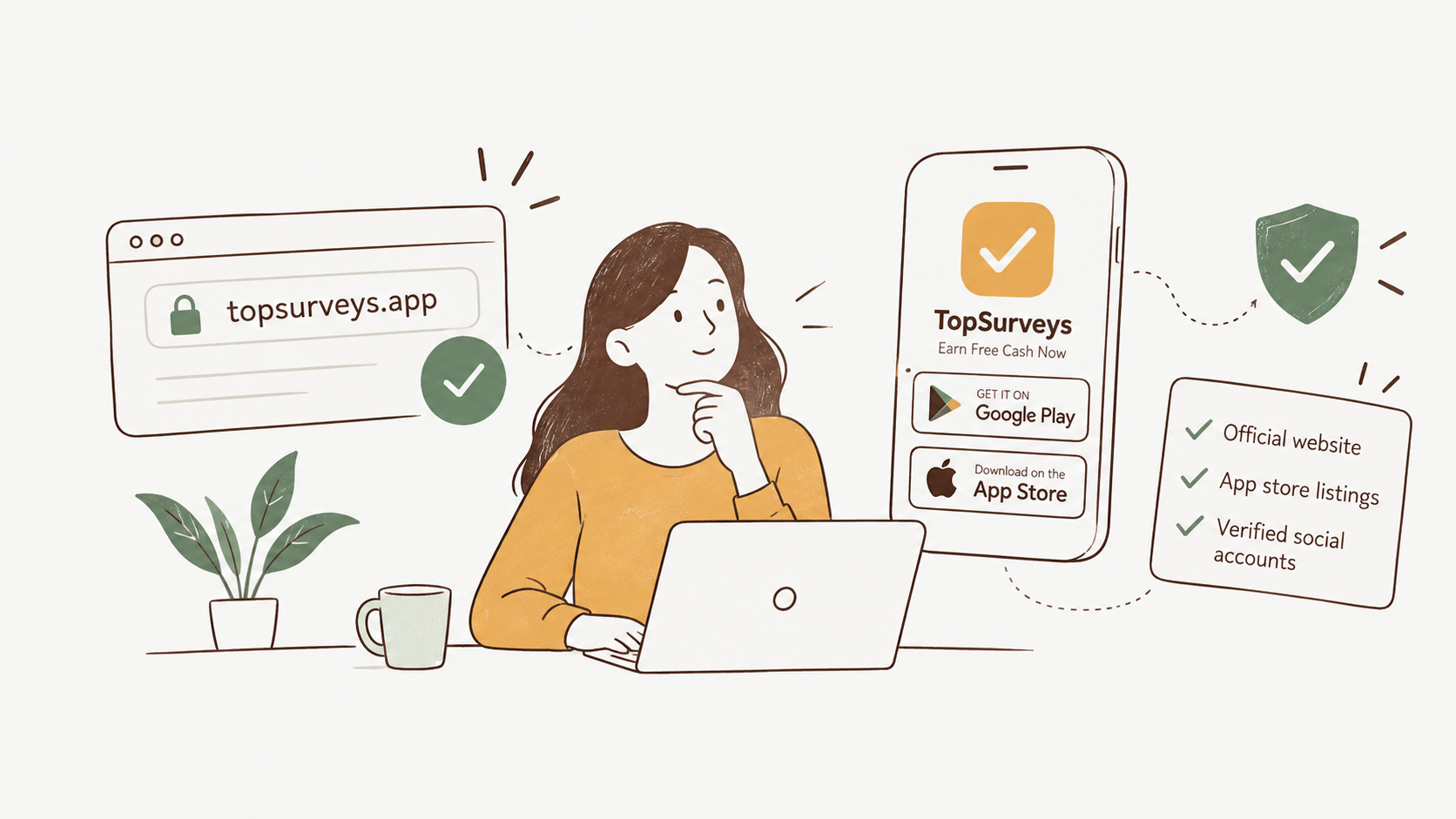
If you've found a TopSurveys download or a link somewhere other than an app store, check it before you install. The official TopSurveys is the website topsurveys.app, the Google Play and Apple App Store listings, and a short list of named social and messaging accounts.
Everything else that carries the app, the APK mirrors and app-listing aggregators that show up when you search the brand, is a third-party copy rather than an official channel. We run TopSurveys, so the list below tells you exactly which accounts and listings are ours.
Two things can make the real site look fake: the plain web address sometimes sends you to a local version, such as /en-gb/ if you're in the UK, and an old /signup link now returns an error. Both are explained below, with checks you can run yourself.
The official TopSurveys, in one list
Here's every official TopSurveys surface, with the identifier that sets it apart from a copy. We checked all of them live on 2026-09-21. Bookmark the ones you use and you won't have to search the brand again.
| Official surface | What to match |
|---|---|
| Website | topsurveys.app, written without a locale prefix |
| Google Play | package name topsurveys.paid.survey.money.cash |
| Apple App Store | app id 6740480652, listed as "TopSurveys: Earn Free Cash Now" |
| @topsurveys_official | |
| the page at numeric id 61574596734085 | |
| Telegram | the channel at t.me/topsurveysofficial |
| the channel linked on our contact page |
The website is the front door, and the app also runs there in your browser if you'd rather not install anything. To put it on your phone, use Google Play for Android or the App Store for iOS. Those two listings are the only official mobile downloads, and they double as the identifiers to match above.
The identifier matters more than the name. Anyone can call a page "TopSurveys", but a package name, an app id, and a numeric Facebook id are much harder to fake. For the Facebook page, match the numeric id rather than the display name, since the name shown on a page can be changed at any time.
The social and messaging accounts matter for a different reason. Instagram and Facebook are where we post updates, and Telegram and WhatsApp are the channels we broadcast from, so a message from any other handle claiming to be us isn't from us. Impersonation is easiest on messaging apps, where a name and photo are simple to copy, so go by the handles and the numeric id, not the names. If you're ever unsure which account is real, our contact page lists every official one in a single place.
Why other sites carry the TopSurveys app
Search the brand and you'll find download pages that aren't us. Apps get repackaged and reposted through channels outside the official store, which is normal for any popular app. APK mirrors host the raw installer file for you to download directly; app-listing aggregators rebuild a store-style page around the app, usually with their own download button and ads. Sites like Aptoide, soft112 and AppBrain work this way, and none of them is connected to the developer.
The catch is that a copy installed this way sits outside the store's managed channel. Google's own developer guidance covers this: get a protected app from an unknown source and the phone prompts you to install the official version from Google Play instead. Those copies can also be out of date, they don't update themselves the way a store install does, and Google Play Protect scans apps from unknown sources separately from the ones you get through the Play Store.
You can usually spot one of these pages fast:
-
A version number or a "free APK download" label in the title. A real store listing doesn't advertise itself that way.
-
A download button that hands you a file directly instead of sending you to Google Play or the App Store.
-
A domain that isn't a store or topsurveys.app. Check the address bar first.
So install from the App Store, Google Play, or use the web app. An APK from anywhere else isn't our build, and we can't vouch for what's in it. If you already installed one from a mirror, uninstall it and reinstall from a store listing to get back on the official update path. For more on spotting fakes across the category, see our survey safety blog.
Why the website URL sometimes changes
The address switching to an /en-gb/ form is local routing, not a redirect to a copy. topsurveys.app is the real address, and the site simply sends some visitors to a version of the same pages in their own language.
Load the homepage and, depending on where you're browsing from, it may forward you to a local path like /en-gb/. It's the same site and the same pages, in the language and region it detects for you. The join form does the same, so seeing /en-gb/register/ after you tap "sign up" is normal. Type the plain topsurveys.app and you're in the right place wherever you are.
What matters is the domain, not the part after it. A locale code sitting on topsurveys.app is the site handing you a translated version of its own pages. It never means you've been bounced to a copy on another address, which is the only thing that would point to a fake.
One more thing trips people up. An old /signup link now returns a 404 error, which is a dead path rather than a sign of a fake site. The live join form is at /register/, so if a saved /signup bookmark stops working, use /register/ instead.
How to check any TopSurveys link yourself
You don't have to take our word for any of this. Three checks tell you whether a link or a listing is genuine, and you can run them in any order.
-
The domain. The official site is topsurveys.app, with no prefix. A locale path like /en-gb/ after it is fine, since that's the routing explained above. A different address that just happens to contain the word "topsurveys" is not the same thing.
-
The developer name. Both store listings show the developer as Top Survey AB. The App Store listing also carries "© TopSurveys LLC", so that name is fine too. A listing under any other developer isn't the official one, however similar the app name looks.
-
The package name or app id. On Google Play it's topsurveys.paid.survey.money.cash. On the App Store it's 6740480652, which you can read straight from the listing URL. Both are hard to fake and quick to match against the list above.
Put those into a habit before you install. Reach the site by typing topsurveys.app yourself rather than tapping an ad or an unfamiliar link, which is the standard advice for avoiding bad downloads. Install only from the App Store, Google Play, or the web app. Then match the developer name and the package or app id before you tap install. If a link or a listing doesn't check out, don't install it, and come back to topsurveys.app or a store listing instead.